IFC demos, each one real NativeBIM outputIFC results: a lot fitted, a model checked, questions answered
Every demo below was produced by NativeBIM itself and shows the file, the command and the date it came from. Open a demo to see the inputs, what the software did and what it could not do.
On a vacant industrial lot in Boulder the engine fitted a 119,000 SF warehouse, the largest of 72 feasible layouts. A generated 480,000 SF warehouse model read back with 0 rule violations, and 6 questions about it came back with their GlobalIds. Generated with docs/launch/site/boulder/testfit.js (method); captured with docs/launch/site/capture.js (method).
Each demo says which part runs in the core library today and which MCP tool puts it in front of an AI assistant, and whether that tool is in this build. See the tool reference.
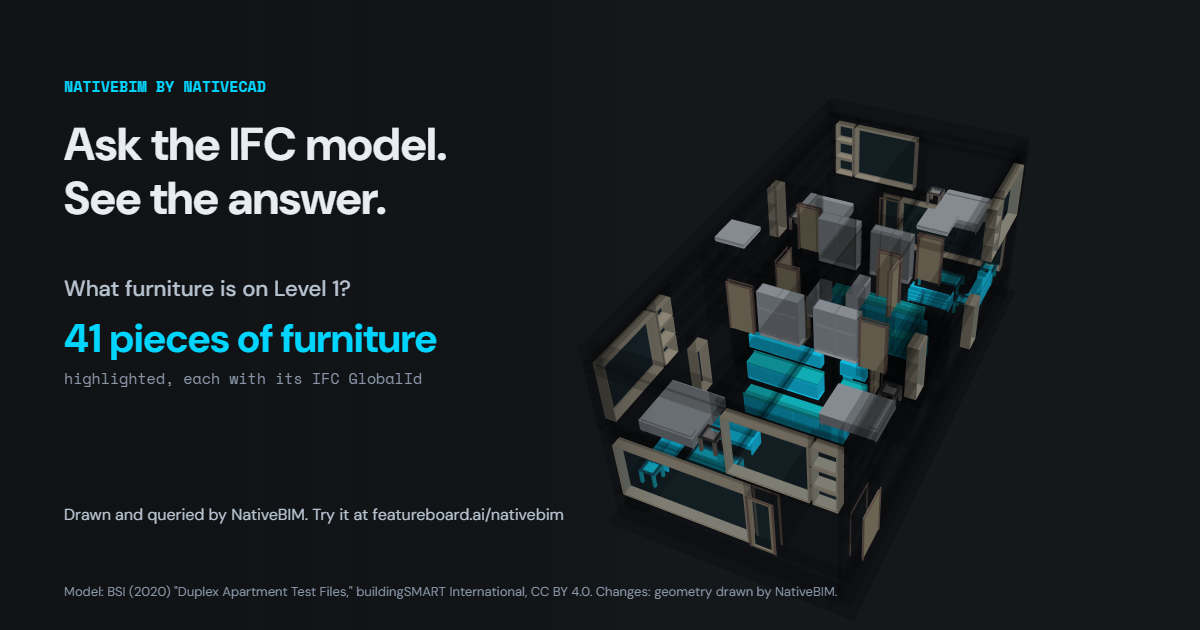
Orbit the buildingSMART Duplex apartment sample or the buildingSMART Medical-dental clinic sample or the warehouse NativeBIM generated, switch between exterior, cutaway, story-by-story and plan views, and ask each one four prepared questions. Each answer lights up the elements behind it and lists their GlobalIds; click any element for its property sets.
Open the 3D viewer. Models drawn by NativeBIM's geometry engine, built with docs/launch/viewer/build-viewer.js.
The engine lays out every warehouse that fits inside the setbacks of a vacant lot zoned Industrial-General in Boulder, Colorado, within the height limit and floor area ratio of the Boulder code, and ranks them.
472 layouts evaluated, 72 feasible; top option 119,000 SF. Generated with docs/launch/site/boulder/testfit.js (method)
Each file in the public corpus is opened through the reader, the model graph, the semantics, placements and geometry, each in its own process with a time and memory budget.
61 of 61 files swept: 0 crashes, 0 hangs, 0 out of memory. Measured with tools/bench/sweep.js (method)
A reader asked why CAD can't just add a room. His floor plan, modeled, and his list run as edits: move a door, mark the outside walls, make a door sliding, add a suite with a shower bath and a kitchenette.
5 edits, 0 new validation issues; the suite is 17 elements in one undoable edit. Run with docs/launch/site/add_a_room.js (method)
Walls with their thickness, doors, windows and rooms read from 2D plans of two published buildings, scored against the models the plans were cut from, then rebuilt as IFC4 and checked.
Duplex Level 2: wall overlap 0.88, 18 of 18 doors and windows found; every rebuilt model has 0 rule violations. Measured with docs/launch/site/capture_drawings.js (method)
What goes on these pages
Models shown are generated by NativeBIM or are CC BY 4.0 samples with their attribution. Nothing else is redistributed.
Every number comes from a committed script and names it, with its date. The methods page lists each command.
Test fits and code screening are drafts. Outputs are drafts for review by the licensed professional of record.
Notices
NativeBIM is licensed software. It does not provide design, engineering or other professional services. Outputs are drafts for review by the licensed professional of record.
Sheets are marked NOT FOR CONSTRUCTION by default.
NativeBIM is not affiliated with, endorsed by or sponsored by the companies and organizations named here. Product names and marks belong to their owners.
NativeBIM is provided as is, without warranty of any kind. To the extent the law allows, FeatureBoard Labs Incorporated is not liable for indirect, incidental or consequential damages, lost profits or lost data, and its total liability is limited to the license fees paid in the 12 months before the claim. Read the license.
 Anchor demo