A drone program is a weight budget, a thrust budget and a calendar. Every gram on a motor mount comes out of flight time, and every airframe revision has to be re-checked before it flies. NativeCAD is CAD, FEA and CFD software that your AI assistant drives: you describe the change in a sentence, the assistant builds exact solid geometry, runs the checks, and hands you a STEP file your suppliers can open.
What drone teams do with NativeCAD
- Build and revise the airframe by conversation. Arms, motor mounts, battery trays, camera gimbals and landing gear are real B-rep solids with addressable faces and edges, not meshes.
- See what the AI changed. Pinpoint shows every version side by side with the goals and checks pinned to the parts they belong to.
- Simulate the rotors spinning. Forward-flight airflow with the props turning at the simulated rpm.
- Take weight out and prove it still carries the load. Topology optimisation and lattice infill with FEA on the result.
- Turn scans and STL files back into solids. Reverse-engineer a competitor part, a legacy airframe or a 3D scan.
A 200-part quadcopter, reviewed version by version
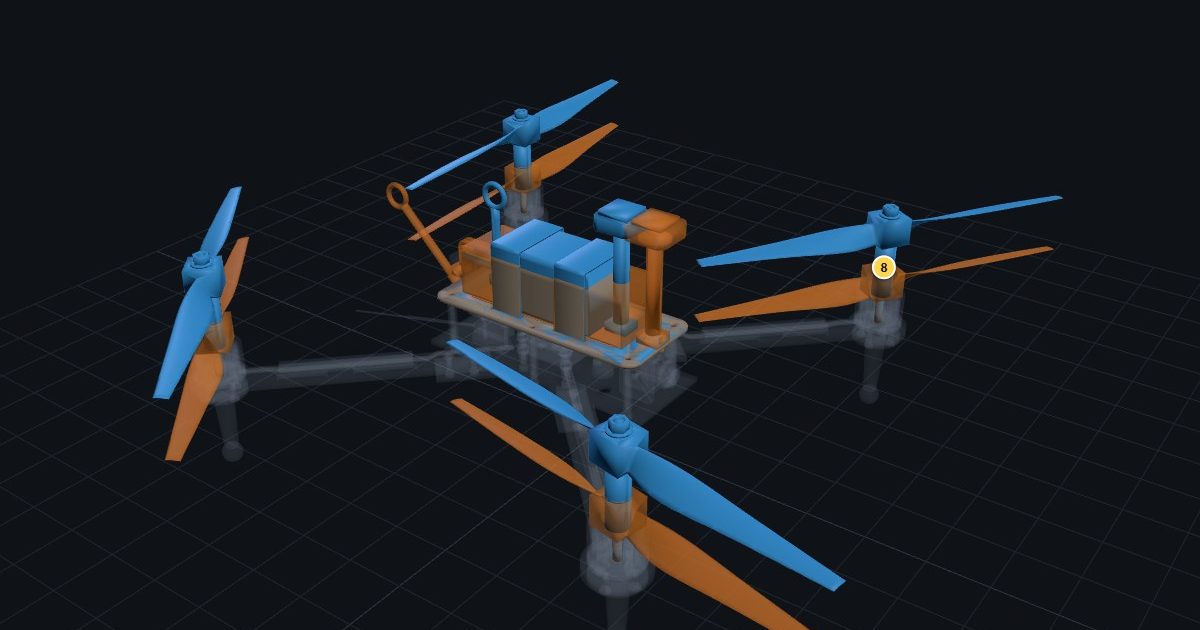
The Pinpoint demo replays a real 200-part quadcopter as an AI agent changes it. Each version shows what moved, what was added and which checks ran. A failed check stays pinned to the part as a defect until a newer version passes it. For a drone maker this is the design review you never have time to hold: the agent works overnight, and in the morning you read eight pins instead of diffing two assemblies by eye.
Rotor airflow from the solver, not an animation
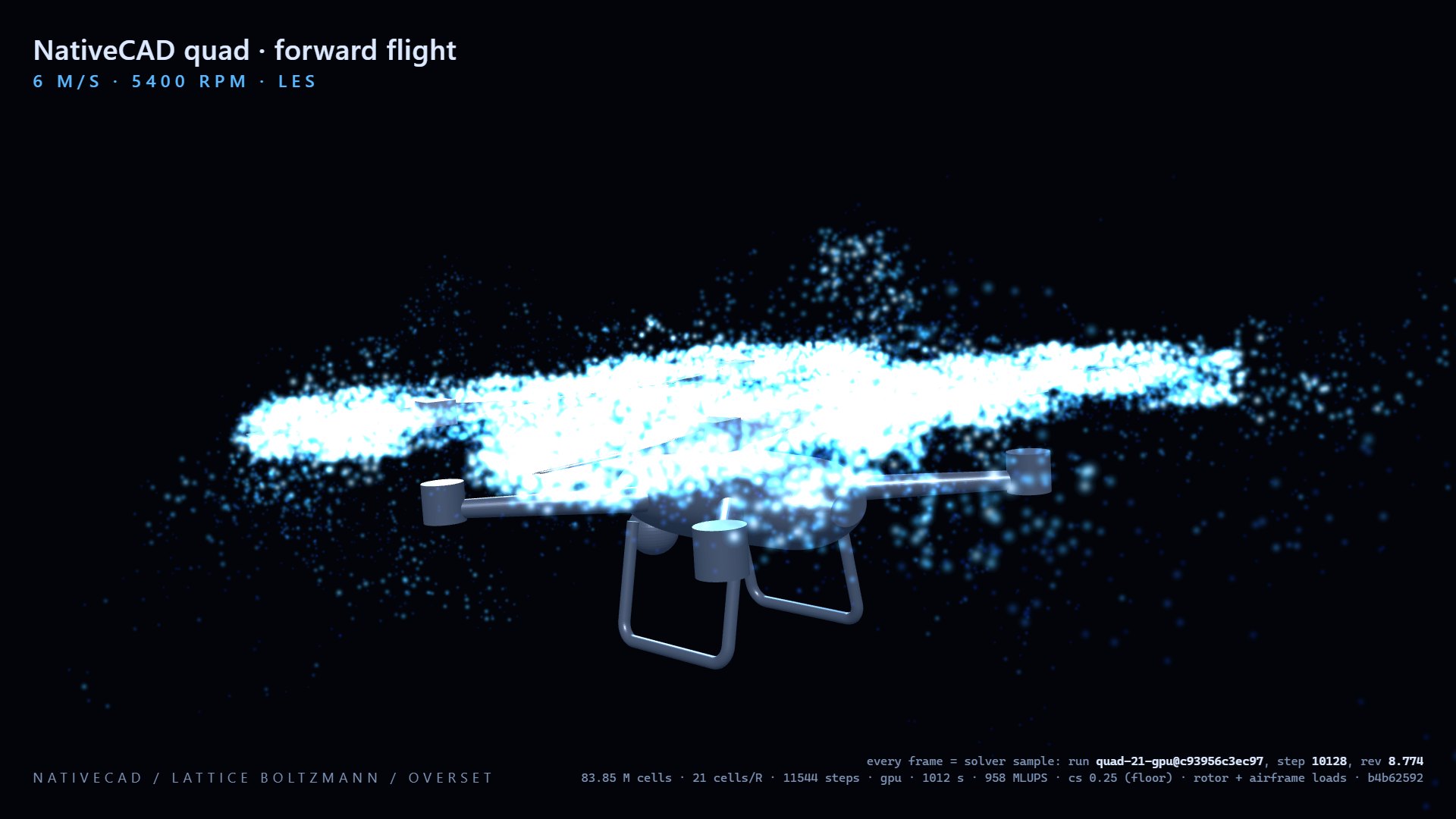
The quadcopter forward-flight page shows vorticity from a lattice-Boltzmann overset run with the props spinning at the simulated rpm. Every frame is a solver sample. The same GPU solver handles full aircraft: the A320neo airflow demo was solved on a single RTX 5060 with 8 GB of memory in about 6.6 minutes. A small team can ask "what does the wake do to the rear props at 15 m/s" and get an answer on a gaming graphics card.
Lighter mounts that still carry the load
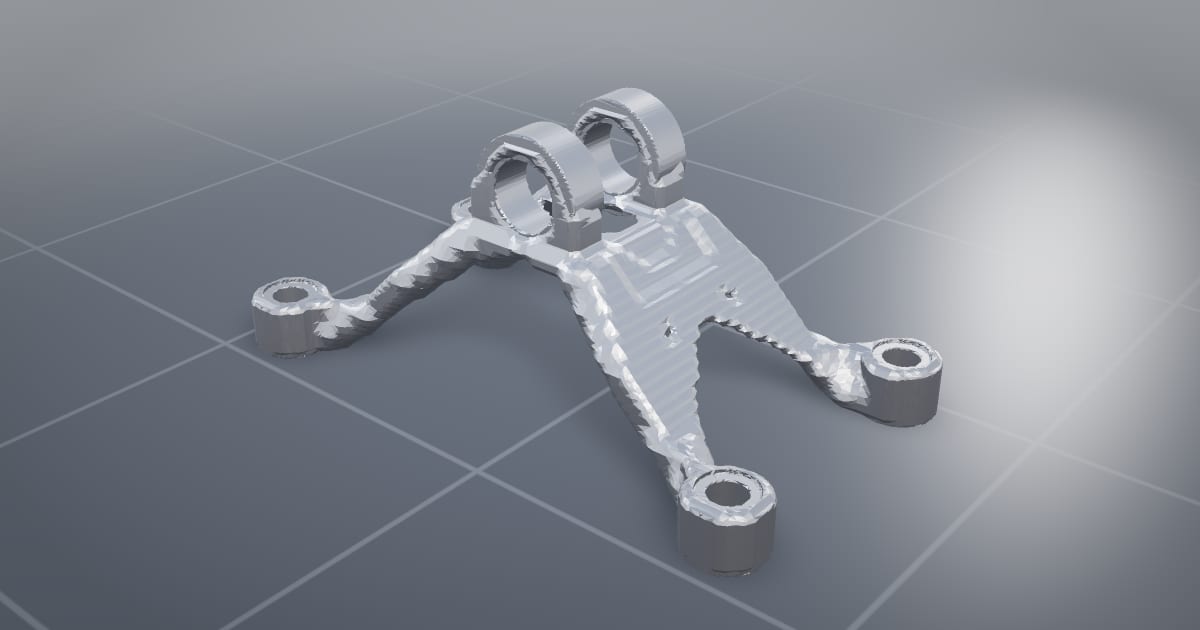
Flight time is bought in grams. NativeCAD's topology optimisation demo takes the GE jet engine bracket from 2.04 kg of Ti-6Al-4V to 336 g and delivers 1.76× the stiffness per kilogram of the original, with all four challenge load cases carried. The lattice bracket is 34% lighter than the solid one with every bolted interface face kept exact in the STEP file. The same tools apply to a motor mount, a gimbal arm or a payload bracket, and FEA with the CalculiX solver checks stress and vibration modes on whatever comes out.
From STL or scan back to a solid you can edit
Drone hardware is full of mesh files: scans, downloaded STLs, legacy prints. The reconstruction scoreboard rebuilds meshes as B-rep solids, including a real STL of the Ingenuity Mars helicopter where 81 of 82 parts were rebuilt. Once it is a solid you can change a bore, add a boss, and export STEP.
What to ask your assistant
Build a 250 mm quadcopter arm in 6061, 4 mm wall, with an M3 motor pattern on a 16 mm circle.
    Run a modal analysis and tell me the first three frequencies.
    Take 20% of the mass out of the motor mount and keep a safety factor of 2.
    Show me what changed since yesterday's version.
The DFM knowledge packs cover aerospace, composites and electronics rules, so the assistant checks a printed, machined or laid-up part against the process you plan to use.
Questions drone manufacturers ask
Can NativeCAD simulate propellers and rotor wash?
Yes. The quadcopter forward-flight demo runs a lattice-Boltzmann overset simulation with the props spinning at the simulated rpm, and every frame shown is a solver sample.
Can I import my existing drone CAD?
Yes. NativeCAD reads STEP, IGES, Parasolid, SAT and SolidWorks SLDPRT files, and rebuilds STL meshes and scans as editable solids. See the interoperability pages.
What does NativeCAD cost?
A NativeCAD MCP / Modeler seat is $200 per seat per year, or $20 per seat per month, with no metered usage. The evaluation needs no key and no sign-up; export, save and import need a seat key. See pricing.
Does my geometry leave my computer?
NativeCAD runs on your own machine: the kernel and solvers run locally and licence validation is fully offline. Files opened in the browser modeler are never uploaded. Your AI assistant sees what you ask it to work on, under your agreement with its provider.
NativeCAD in other industries
- NativeCAD for Automotive: Drivelines, Tolerance Stacks and Thermal Parts Your AI Can Check
- NativeCAD for Motorsport: More Design Iterations Between Races
- NativeCAD for Aerospace and Turbomachinery: Blades, Casings and Qualification Reports
- NativeCAD for Robotics and Weld Cell Integrators: Program the Cell From the CAD Model
- NativeCAD for CNC Job Shops: From the Customer's Drawing to a Checked Solid
- NativeCAD for Sheet Metal Fabricators: Flat Patterns, Bend Checks and Drawings by Conversation
- NativeCAD for Metal Additive Manufacturing: Design for the Printer, Then Prove the Part
- NativeCAD for 3D Printing Services and Product Designers: Fuller Builds, Parts That Work Off the Bed
- NativeCAD for Foundries and Casting: Part In, Mould Out
- NativeCAD for Electronics Hardware Teams: Check the Board and Fit the Enclosure Before You Build
- NativeCAD for Furniture Makers and Woodworkers: A Desk Designed in Ten Messages
- NativeCAD for Game Studios and 3D Asset Teams: Engineering-Grade Models as Runtime Assets
- NativeCAD for Simulation Teams: FEA and CFD Set Up and Run by the Agent That Built the Part
- NativeCAD for Defense and Regulated Manufacturing: AI-Built Parts Inside Your Own Boundary
NativeCAD is CAD, FEA and CFD software your AI assistant drives over MCP, from Claude, Cursor or your own agent, and in the browser. Every part is an exact B-rep solid that exports as STEP AP242. See what it does, browse every demo, check pricing, or install it.