Interoperability
Every format, and every switch on it
NativeCAD is hub-and-spoke: every format converts to or from two internal models only — the B-rep solid and the assembly instance tree — so adding a format costs one reader or one writer, never a pairwise translator. This page is the complete matrix: what imports, what exports, what each spoke carries, and the options that let you toggle behavior, trade fidelity for speed, or skip translating things you don't need. Each format has its own deep-dive page.
Supported formats
| Format | Extensions | Import | Export | What crosses | Deep dive |
|---|---|---|---|---|---|
| STEP every version: AP203 ed1/ed2, AP214, AP242 ed1/ed2/ed3 (Part 21) | .step .stp .p21 .stpZ |
Yes | Yes | Every version verified by an independent reader. Exact B-rep solids, assemblies with placements, names, units, construction sheets, graphical PMI — the round-trip format, gated by a fidelity corpus | STEP → |
| STEP AP242 domain-model XML | .xml + N .stp |
— | Yes | The PLM/PDM handoff: assembly STRUCTURE only — products, versions, views, component instances and their placements — with each part's geometry left in a Part-21 file referenced by AP242 external element reference. Assemblies only, by design; a single body is refused by name rather than exported as an "assembly of one" | AP242 XML → |
| IGES 5.3 | .igs .iges |
Yes | — | Stitched into watertight solids by default — 428 solids / 596 importing files across the 647-file real-archive sweep; stitch:false keeps the raw open sheet |
IGES → |
| Parasolid XT text + binary | .x_t .xmt_txt .x_b .xmt_bin |
Yes | Yes | Watertight solids straight out of the reader — XT is a kernel format and carries the whole topology graph | Parasolid → |
| SolidWorks part | .sldprt |
Yes | — | The embedded Parasolid body, pulled from either part container generation (OLE2/CFB and the 2015+ chunk format) and imported through the XT path — measured on 501 public SolidWorks files: 413 strict, 455 tolerant | SLDPRT → |
| STL | .stl |
Yes | Yes | Mesh body (meshId, not a B-rep solid), opt-in heal weld/de-degenerate/re-orient/fill-holes pass (details); watertight tessellation out, binary or ASCII. Mesh in; reconstruct to B-rep with cad_mesh_to_brep — measured on the RECON sprint's own scoreboard: bracket −0.017 %, nativecad-plate +0.010 % volume error against the mesh (CADSF-1415, CADSF-1419) |
STL & OBJ → |
| OBJ | .obj |
Yes | — | Same mesh channel and opt-in heal as STL (details) |
STL & OBJ → |
| ACIS SAT | .sat |
Yes | Yes | Single-body solids, like the XT spokes — reader and writer dispatched at the cad_import/cad_export_body surface (details) |
ACIS SAT → |
| glTF 2.0 / GLB | .gltf .glb |
— | Yes | Runtime assets: PBR materials, exact crease normals, shared-mesh instancing, animation clips, Envelope Export — the SceneReady pipeline | glTF / GLB → |
| OpenUSD / USDZ | .usda .usdz |
— | Yes | USD stages off the same tessellation bridge as glTF — UsdPreviewSurface materials, declared units and up axis; usdz is the STORED, 64-byte-aligned package iOS AR Quick Look opens |
USD / USDZ → |
| 3MF (core spec) | .3mf |
Yes | Yes | Mesh body on import (meshId, opt-in heal, components flattened); on export, one object per body, millimetres, manifold-gated by name before anything ships to a slicer |
3MF → |
| 3D PDF / PRC | .pdf .prc |
— | Yes | Document-workflow 3D: ISO 14739-1 PRC in a rotatable PDF, with graphical PMI and saved cameras carried from AP242 | 3D PDF → |
| SVG / DXF wireframe | .svg .dxf |
— | Yes | Projected wireframe of the tessellated edges along a chosen axis (every edge by default), or view:"hlr" for a hidden-line-removed drafting view — B-rep edges and silhouettes, occlusion-tested, hidden lines dashed (details) |
Drawings → |
| Contour DXF (cut paths) | .dxf |
— | Yes | What you send a laser, waterjet or plasma vendor: true closed LINE/ARC/CIRCLE contours off the B-rep, one CUT layer, bend centrelines for formed parts | Drawings → |
| DXF drawing (2D profiles / flat part) | .dxf |
Yes | — | A laser-cut drawing in, an exact part out: closed, nested loops become a 2D sketch, or — with thickness — a flat part with real cylindrical holes, each solid named from the layer of its outline; mode:"drawing" reads a sheet's views, title block and border as a report instead. ASCII DXF only; open chains are a warning, and every refusal is a named DXF_* code (details) |
Drawings → DXF & PDF import → |
| PDF drawing (vector, read as a drawing) | .pdf |
Yes | — | A manufacturer's datasheet drawing, read exactly instead of looked at: one page at a time, its outlines come back as true lines, arcs and circles in sheet millimetres, with the views, first or third angle, each view's scale, the dimension values and the title block reported — mode:"drawing", nothing built. A scan has no exact geometry, so an image-only page is turned away by name, and every refusal is a named PDF_* code. A 3D PDF's embedded model is not read (details) |
Drawings → DXF & PDF import → |
Three kinds of options, on every spoke
Each format page tables its options and tags every one of them:
- behavior — changes what the translation does: unit override, binary vs ASCII, projection axis, per-body assembly placements, crease angle.
- speed — trades fidelity or coverage for time and size: chord tolerance, triangle budgets, reusing an already-computed mesh instead of re-tessellating.
- skips translation — deliberately leaves things out: tolerant import (skip unbuildable faces instead of failing the file), Envelope Export (ship only what's visible from outside), single-body export out of a multi-body document.
One part, every format — download it
Every file below is the same part, authored in the NativeCAD kernel in seven ops — a 60×40×6 mm mounting plate, R8 corner fillets concentric with four ⌀5.5 bolt holes, ⌀16 centre bore, watertight at 12,296.17 mm³ — and exported by the kernel's own writers. Open them in your CAD system, slicer, renderer or CAM and see what arrives:
STEP nativecad-plate.step 75 KB X_T nativecad-plate.x_t 15 KB X_B nativecad-plate.x_b 15 KB STL nativecad-plate.stl 156 KB GLB nativecad-plate.glb 154 KB glTF nativecad-plate.gltf 4 KB BIN nativecad-plate.bin 152 KB USDZ nativecad-plate.usdz 468 KB USDA nativecad-plate.usda 468 KB 3MF nativecad-plate.3mf 25 KB SAT nativecad-plate.sat 16 KB 3D PDF nativecad-plate.pdf 69 KB PRC nativecad-plate.prc 67 KB DXF nativecad-plate.dxf 365 KB SVG nativecad-plate.svg 300 KB CUT DXF nativecad-plate-cutpath.dxf 1.4 KB

AP242 domain-model XML describes an assembly, so its sample is the same plate
instanced twice — one part, two occurrences 20 mm apart, geometry written once into the
Part-21 file the XML references. Download both into one directory; the Uri is
relative.
AP242 XML nativecad-plate-stack.xml 3.1 KB PART 21 nativecad-plate-stack_mounting_plate.stp 17 KB
IGES, SLDPRT, DXF and PDF-drawing import are import-only spokes, so there is no kernel-authored sample for them (the cut-path DXF above is the input the DXF reader round-trips). Each sample above is authored by the kernel from the same plate-stack model, so the files are directly comparable with one another.
More demos
All demos →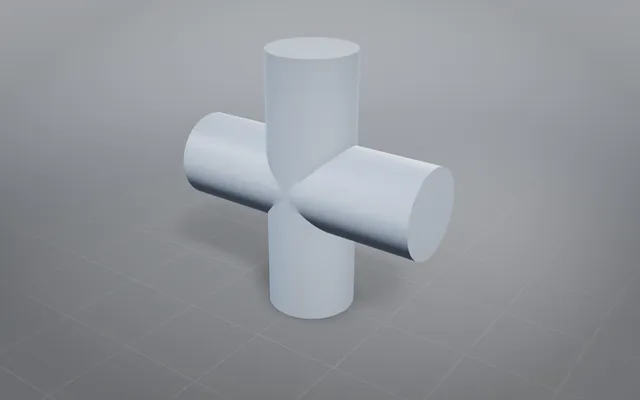
Tangent booleans: the classic hard cases, solved exactly
Solids that touch instead of cross, through union, subtract and intersect, each answer an exact closed solid.
19 tangent cases Defeaturing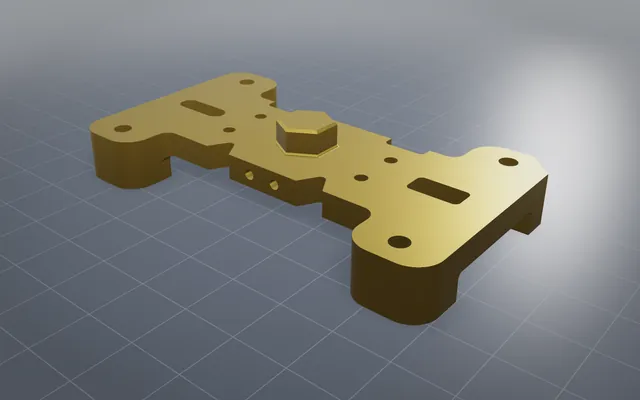
Less geometry at the same tolerance
Small holes, fillets and bosses removed and the solid healed watertight, ready for scenes and simulation.
NURBS ops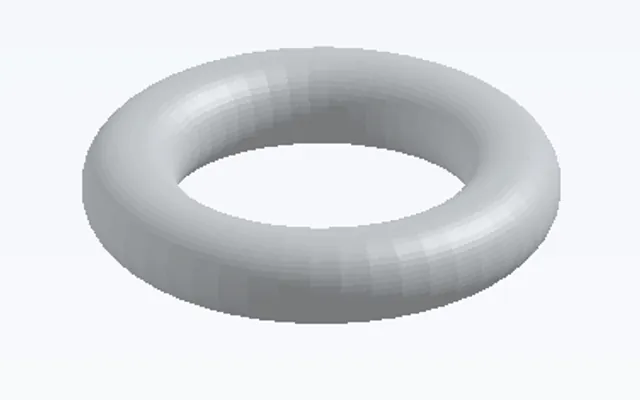
Curved offsets, shells and surfaces from points
Offsets and shells on curved solids, exact surfaces through point grids, and a mesh turned back into a solid.
6 curved operations V12 engine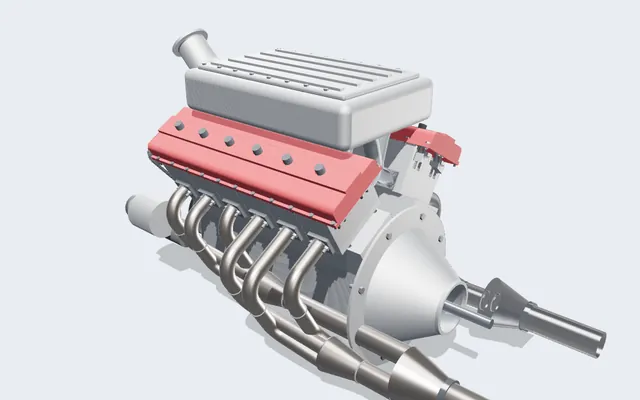
A V12 engine you can run, slice and take apart
Every crank, rod, cam and valve is a real solid, turning in your browser from one dial: the crank angle.
361 parts · 2,850 placementsBuild your own part with NativeCAD
Free for education and makers with a registered key · $200 per seat per year · Kernel SDK for products.