Energy hardware is designed by small expert teams against long lists of requirements: duty, pressure drop, blade life, emissions, footprint. Much of the schedule goes to redrawing and re-running as those requirements move. NativeCAD is CAD, FEA and CFD software driven by your AI assistant. It builds the geometry as exact solids, runs thermal, structural and flow checks on it, and reports each result against its requirement.

What energy teams do with NativeCAD
- Lay out whole packages: a turbogenerator from the pad to the exhaust stack.
- Size heat exchangers and check duty, pressure drop and leak paths.
- Design hydrogen and fuel-cell hardware from a text brief.
- Simulate combustion and start-up with flow and chemistry coupled.
- Qualify rotating blades: modes, Campbell diagram, forced response.
A containerised turbogenerator as one assembly
The turbogenerator is a containerised 42 MW-class natural-gas unit modelled as one B-rep assembly, from the concrete pad to the exhaust stack, with every part mounted to the one it rests on. It is exported once and shown as three detail levels with an engine close-up, an exploded view, group isolation, a section plane and a running clip. For a packager, that is the proposal model, the layout review and the maintenance illustration from one source.
Heat exchangers that meet their duty
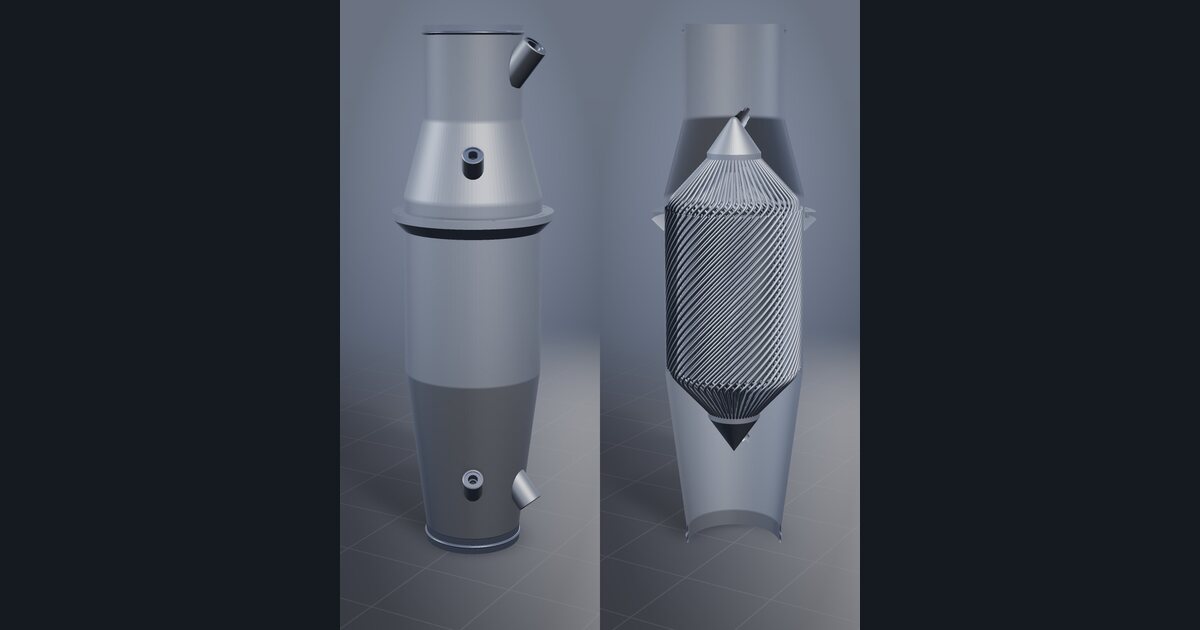
The printed gyroid heat exchanger removes 515 W against 482 W required, a 6.9 % margin, at 2.7 kPa air-side pressure drop inside a 5.0 kPa budget, with 0 leak paths between the air and coolant networks. The whole exchanger is 696 g in AlSi10Mg. Duty, pressure drop and separation of the two fluids are checked on the geometry that will be built.
Hydrogen fuel-cell hardware from a brief
The hydrogen fuel-cell precooler was generated from a text brief and prints as one piece. It removes 10.3 kW at 109 g/s of air and 2.5 bar, through 267 tubes with 89.1 m of Ø3.0 mm tube, in 4.06 kg of AlSi10Mg. It is checked for thermal performance, structure, vibration and printability. For teams building balance-of-plant hardware, that is a first article in days.
Combustion and start-up in one loop
Simulation coupling runs a small gas turbine with SU2 compressible CFD, Cantera combustion chemistry and a simulated start-up in one loop. It reaches exit Mach 0.868 and 298.1 N of thrust against a 300 N target. The method is the point: flow, chemistry and the transient solved together on geometry the same assistant can change.
Rotating blades: four constraints and a qualification report
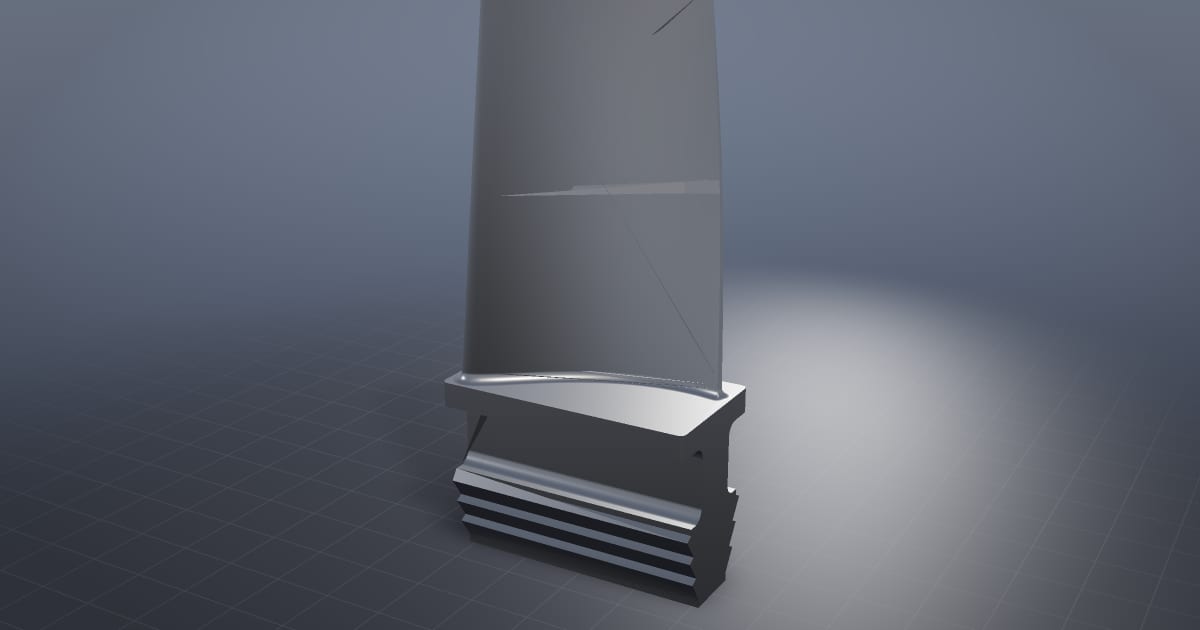
The HP turbine blade is checked by four solvers at once: castability, rim load, tip clearance and aero, at 11,000 rpm. The NASA Rotor 67 qualification solves prestressed modes, a Campbell diagram, forced response and Goodman safety factor, and reports a minimum safety factor of 1.19 against the required 1.5. The variable stator vane stage drives three vane rows from two actuators with fits measured to ISO 286.
What to ask your assistant
Size a plate-fin exchanger for 5 kW with air at 80 g/s and stay under 3 kPa.
    Check that the two fluid circuits never connect.
    Run prestressed modal analysis on this blade at 9,000 rpm and draw the Campbell diagram.
    Section the package at the turbine centreline and export a drawing.
Related reading: aerospace and turbomachinery, simulation teams and metal additive manufacturing.
Questions energy engineers ask
Can NativeCAD design and check a heat exchanger?
Yes. NativeCAD generates exchanger geometry, including printed gyroid cores, and checks heat duty, pressure drop and leak paths between the two fluids. The public gyroid exchanger removes 515 W against 482 W required.
Does NativeCAD simulate combustion?
Yes. The coupled simulation demo runs SU2 compressible CFD with Cantera combustion chemistry and a simulated start-up in one loop.
What does NativeCAD cost?
A NativeCAD MCP / Modeler seat is $200 per seat per year, or $20 per seat per month, with no metered usage. The evaluation needs no key and no sign-up; export, save and import need a seat key. See pricing.
Does my geometry leave my computer?
NativeCAD runs on your own machine: the kernel and solvers run locally and licence validation is fully offline. Files opened in the browser modeler are never uploaded. Your AI assistant sees what you ask it to work on, under your agreement with its provider.
NativeCAD in other industries
- NativeCAD for Drone Manufacturers: Airframe, Airflow and Every Revision Checked
- NativeCAD for Automotive: Drivelines, Tolerance Stacks and Thermal Parts Your AI Can Check
- NativeCAD for Motorsport: More Design Iterations Between Races
- NativeCAD for Aerospace and Turbomachinery: Blades, Casings and Qualification Reports
- NativeCAD for Robotics and Weld Cell Integrators: Program the Cell From the CAD Model
- NativeCAD for CNC Job Shops: From the Customer's Drawing to a Checked Solid
- NativeCAD for Sheet Metal Fabricators: Flat Patterns, Bend Checks and Drawings by Conversation
- NativeCAD for Metal Additive Manufacturing: Design for the Printer, Then Prove the Part
- NativeCAD for 3D Printing Services and Product Designers: Fuller Builds, Parts That Work Off the Bed
- NativeCAD for Foundries and Casting: Part In, Mould Out
- NativeCAD for Electronics Hardware Teams: Check the Board and Fit the Enclosure Before You Build
- NativeCAD for Furniture Makers and Woodworkers: A Desk Designed in Ten Messages
- NativeCAD for Game Studios and 3D Asset Teams: Engineering-Grade Models as Runtime Assets
- NativeCAD for Simulation Teams: FEA and CFD Set Up and Run by the Agent That Built the Part
- NativeCAD for Defense and Regulated Manufacturing: AI-Built Parts Inside Your Own Boundary
- NativeCAD for Architects and BIM Teams: Ask, Check and Edit IFC Models With an AI Assistant
- NativeCAD for Software Teams: A CAD Kernel You npm install
- NativeCAD for Reverse Engineering and Inspection: Scans, STL Files and Old Drawings Back to Solids
- NativeCAD for Jewellery and Consumer Product Designers: Fine Surfaces, Working Mechanisms, Ready to Make
NativeCAD is CAD, FEA and CFD software your AI assistant drives over MCP, from Claude, Cursor or your own agent, and in the browser. Every part is an exact B-rep solid that exports as STEP AP242. See what it does, browse every demo, check pricing, or install it.