Most furniture makers do not want to learn a CAD system. They want to know whether the drawer clears the leg, how much oak to buy, and what the customer will see. NativeCAD is CAD software driven by your AI assistant: you describe the piece in sentences, and it builds real solids with joinery, hinges and fasteners, then counts the parts and checks that nothing collides.
What furniture makers do with NativeCAD
- Design a piece by describing it. No sketcher and no mouse.
- Model the joinery for real: dovetails, mortises, hinges, screws.
- Check moving parts at every position: lids, tilting tops, drawers.
- Get the cut list and bill of materials with masses and centre of mass.
- Show the customer an exploded 3D view in a browser.
A drafting desk, twice
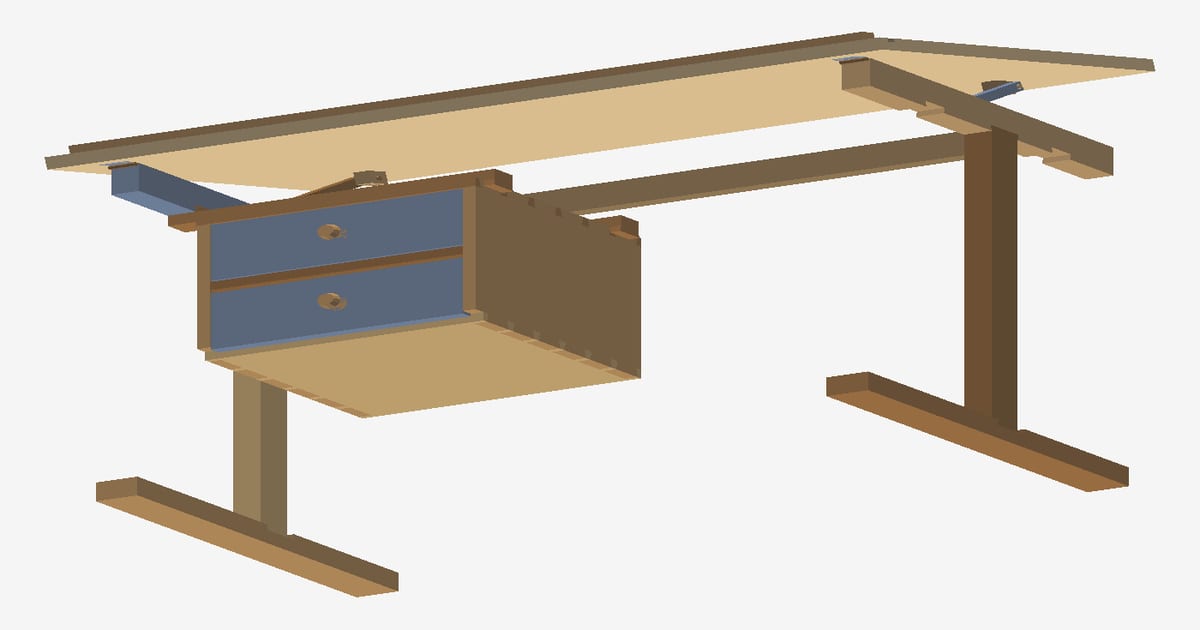
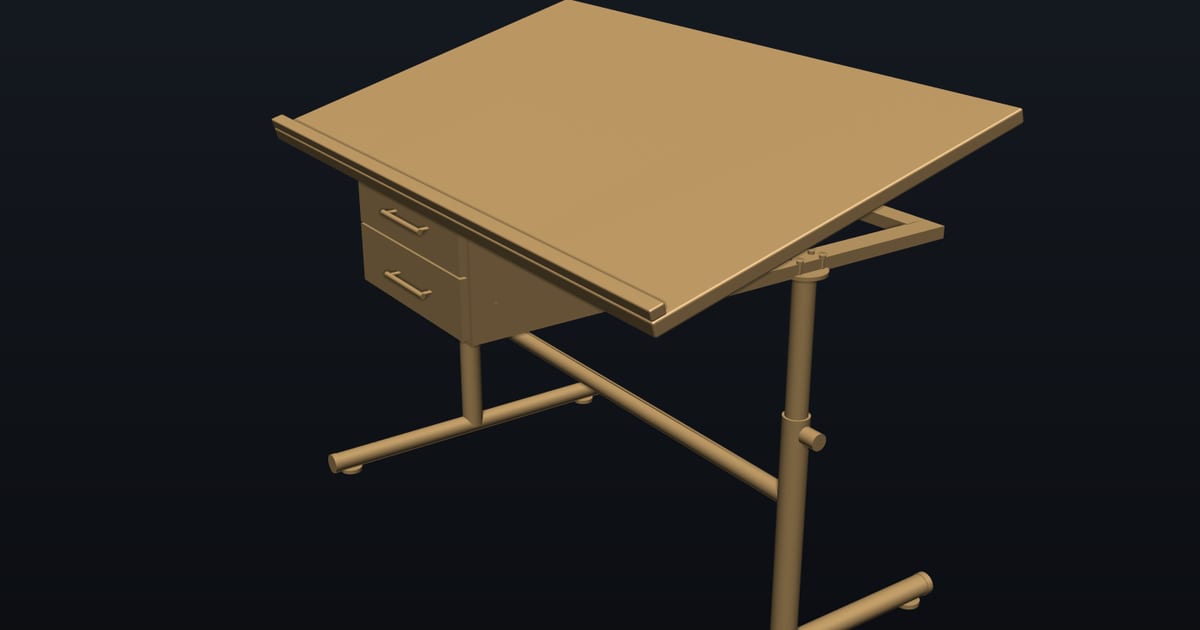
The drafting desk was designed in 188 words across ten messages. The first version is steel and MDF: a 1200 × 650 mm worktop on a front-edge hinge that tilts from 0 to 25°, clash-checked at 0, 15 and 25°. Then the same desk was redesigned in solid oak with dovetail joinery and sixteen screws in the whole desk. Interference is 0.000 mm³ for every body pair, on both desks, at all three tilt angles. Turn the steel version and the oak version in 3D.
From a one-line sketch to 202 bodies
The FoDES drafting desk was built live from a one-line sketch into a 202-body assembly. No sketcher, no mouse: each step is a sentence. Pushed further, the same model gives an exploded view, a bill of materials with masses, the centre of mass and a CSV of all 202 bodies. That is the material order and the assembly guide from one conversation.
Fine work: a walnut ring box
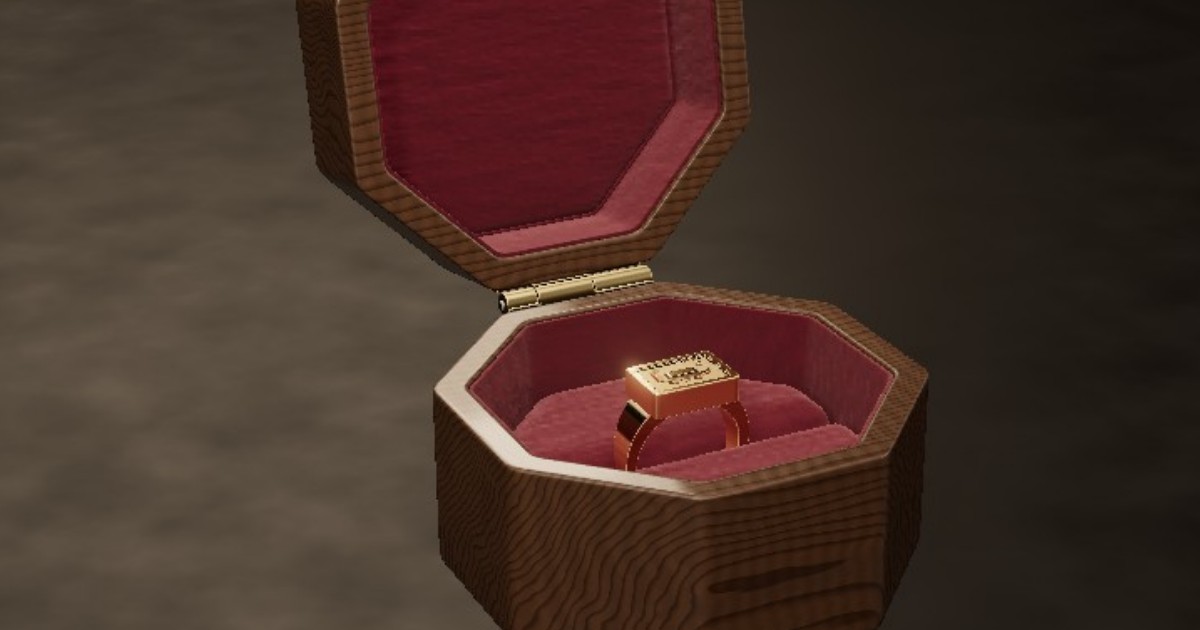
The octagonal ring box is walnut with a spring-and-cam hinge and a velvet slot sized with finite-element analysis. Every designed surface is G4-continuous, 36 of 36, so light runs across the lid without a break. The same surfacing tools serve a sculpted chair seat or a carved handle.
From model to the shop
NativeCAD exports STEP for a CNC router's CAM software and DXF, PDF drawings and cut paths for panels and templates. The DFM knowledge packs include furniture and furniture-construction rules, so the assistant knows about grain direction, panel thickness and fastener spacing when it checks your design.
What to ask your assistant
Design a bookcase 1800 tall, 900 wide, 300 deep in 18 mm oak with five adjustable shelves.
    Use through dovetails on the carcass and show me an exploded view.
    Does the lid clear the wall at every angle from closed to 95 degrees?
    Give me the cut list with board lengths and the total weight.
Questions furniture makers ask
Can I design furniture with AI without learning CAD?
Yes. With NativeCAD you describe the piece in sentences to an AI assistant such as Claude. The public drafting desk was designed in 188 words across ten messages, with real joinery and a clash check.
Does NativeCAD produce a cut list?
Yes. It produces a bill of materials with part counts, dimensions and masses, and exports it as CSV. The FoDES desk demo lists all 202 bodies.
What does NativeCAD cost?
A NativeCAD MCP / Modeler seat is $200 per seat per year, or $20 per seat per month, with no metered usage. The evaluation needs no key and no sign-up; export, save and import need a seat key. See pricing.
Does my geometry leave my computer?
NativeCAD runs on your own machine: the kernel and solvers run locally and licence validation is fully offline. Files opened in the browser modeler are never uploaded. Your AI assistant sees what you ask it to work on, under your agreement with its provider.
NativeCAD in other industries
- NativeCAD for Drone Manufacturers: Airframe, Airflow and Every Revision Checked
- NativeCAD for Automotive: Drivelines, Tolerance Stacks and Thermal Parts Your AI Can Check
- NativeCAD for Motorsport: More Design Iterations Between Races
- NativeCAD for Aerospace and Turbomachinery: Blades, Casings and Qualification Reports
- NativeCAD for Robotics and Weld Cell Integrators: Program the Cell From the CAD Model
- NativeCAD for CNC Job Shops: From the Customer's Drawing to a Checked Solid
- NativeCAD for Sheet Metal Fabricators: Flat Patterns, Bend Checks and Drawings by Conversation
- NativeCAD for Metal Additive Manufacturing: Design for the Printer, Then Prove the Part
- NativeCAD for 3D Printing Services and Product Designers: Fuller Builds, Parts That Work Off the Bed
- NativeCAD for Foundries and Casting: Part In, Mould Out
- NativeCAD for Electronics Hardware Teams: Check the Board and Fit the Enclosure Before You Build
- NativeCAD for Game Studios and 3D Asset Teams: Engineering-Grade Models as Runtime Assets
- NativeCAD for Simulation Teams: FEA and CFD Set Up and Run by the Agent That Built the Part
- NativeCAD for Defense and Regulated Manufacturing: AI-Built Parts Inside Your Own Boundary
NativeCAD is CAD, FEA and CFD software your AI assistant drives over MCP, from Claude, Cursor or your own agent, and in the browser. Every part is an exact B-rep solid that exports as STEP AP242. See what it does, browse every demo, check pricing, or install it.