Reverse engineering work has a familiar shape: a part with no CAD file, a scanner, and days of manual surfacing to get back to something a machinist can use. A mesh is not a model. It has no holes you can resize and no faces you can dimension. NativeCAD is CAD software driven by your AI assistant, and it turns meshes and drawings back into exact B-rep solids, then reports how close the result is to the source.
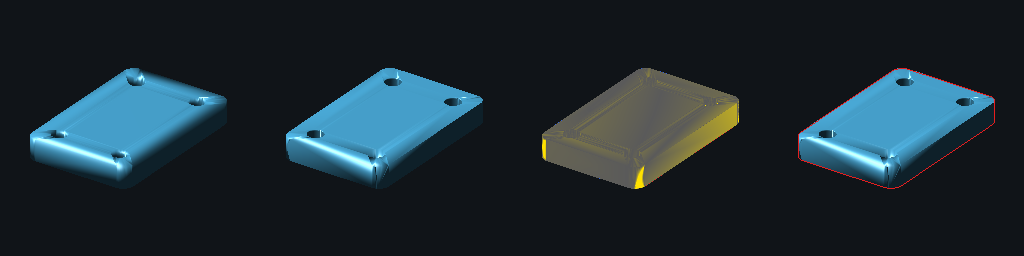
What reverse engineering teams do with NativeCAD
- Convert STL, OBJ and 3MF meshes into watertight solids with analytic faces where the part has them.
- Rebuild parts from 2D drawings and compare against a reference model.
- Fit surfaces through measured points.
- Close gaps in imported geometry with tolerances declared where the gap is.
- Hand over STEP that opens in any CAD system.
STL in, editable solid out
The reconstruction scoreboard shows one tool, cad_mesh_to_brep, taking a triangle mesh with nothing behind it but facets and giving back a real, watertight B-rep solid: analytic faces where the part has them, parametric features where it can, and a measured comparison against the mesh it came from. The cases are eleven kernel-built ground-truth parts plus three real STL files. One of them is the Ingenuity Mars helicopter, where 81 of 82 parts were rebuilt. Each case reports volume error, surface distance and silhouette overlap, and the page shows the input mesh in x-ray over the rebuilt solid.
A sphere comes back as a sphere
The difference between a rebuilt solid and a wrapped mesh is what you can do next. In the NURBS showcase, a real STL file is brought back as an analytic sphere, shown next to its input mesh. The same page fits a NURBS surface exactly through a 7×7 point grid, which is the operation behind turning probe or scan points into a surface. When an operation has no valid answer, such as an offset that would make a torus swallow its own axis, the kernel refuses by name instead of approximating.
Old drawings to 3D, checked against a reference
Many legacy parts exist only on paper. The drawing showcase builds solids from six NIST manufacturing drawings and matches all six against the official NIST models. On the spacer, 100.0% of the surface is within 0.1 mm. For drawings you already have as files, DXF and PDF import gives a solid and a STEP file with holes as true cylinders and arcs as true arcs.
Imported geometry that will not stitch
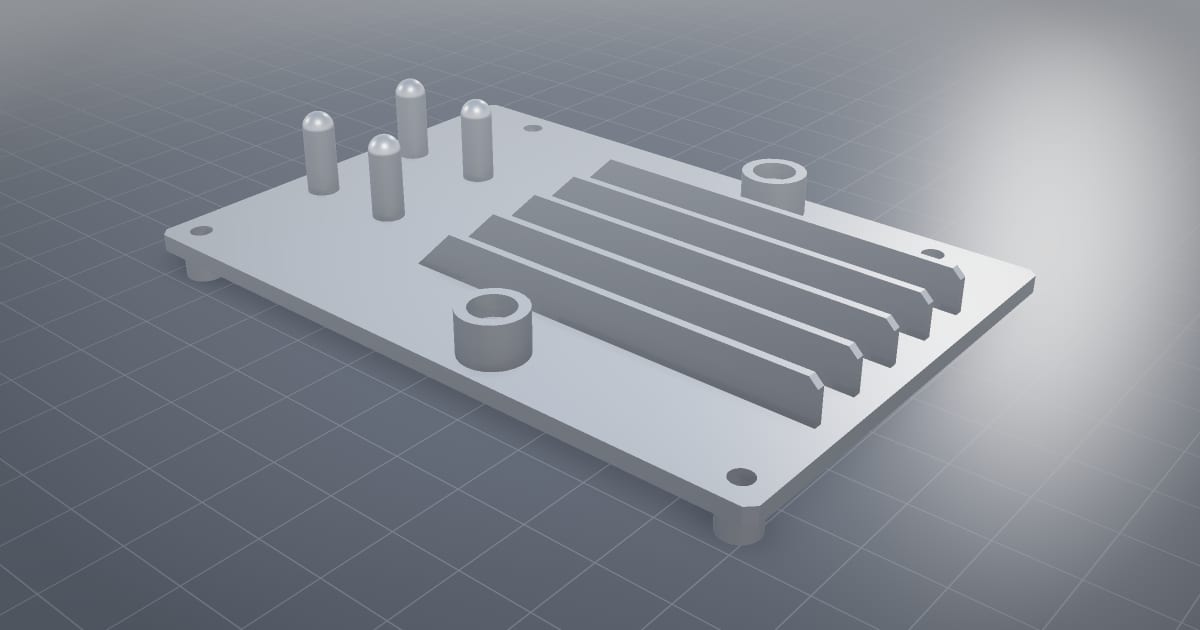
Files from other systems often carry small gaps. Tolerant topology shows a seam that fails to stitch at the model's own tolerance and closes once the edge that carries the gap declares it. The heal report names which entity took the wider tolerance, so the repair is recorded instead of hidden.
Handover in the format the customer uses
The rebuilt part exports as STEP AP242, and the interoperability pages cover Parasolid, IGES, SAT, SLDPRT, 3MF and STL and OBJ. For buildings, the same idea applies to scans of rooms: see NativeCAD for architects and BIM teams.
What to ask your assistant
Convert this STL to a solid and tell me the volume error against the mesh.
    Which faces came back as planes, cylinders and spheres?
    Build this part from the attached drawing and export STEP.
    Open the bore from 8 mm to 10 mm on the rebuilt part.
Questions reverse engineering teams ask
Can NativeCAD convert an STL file to a STEP file?
Yes. NativeCAD rebuilds a triangle mesh as a watertight B-rep solid with analytic faces where the part has them, reports volume error and surface distance against the mesh, and exports STEP AP242.
Can it rebuild a part from a 2D drawing?
Yes. NativeCAD builds solids from manufacturing drawings. Its drawing showcase matches six of six NIST drawings against the official NIST 3D models.
What does NativeCAD cost?
A NativeCAD MCP / Modeler seat is $200 per seat per year, or $20 per seat per month, with no metered usage. The evaluation needs no key and no sign-up; export, save and import need a seat key. See pricing.
Does my geometry leave my computer?
NativeCAD runs on your own machine: the kernel and solvers run locally and licence validation is fully offline. Files opened in the browser modeler are never uploaded. Your AI assistant sees what you ask it to work on, under your agreement with its provider.
NativeCAD in other industries
- NativeCAD for Drone Manufacturers: Airframe, Airflow and Every Revision Checked
- NativeCAD for Automotive: Drivelines, Tolerance Stacks and Thermal Parts Your AI Can Check
- NativeCAD for Motorsport: More Design Iterations Between Races
- NativeCAD for Aerospace and Turbomachinery: Blades, Casings and Qualification Reports
- NativeCAD for Robotics and Weld Cell Integrators: Program the Cell From the CAD Model
- NativeCAD for CNC Job Shops: From the Customer's Drawing to a Checked Solid
- NativeCAD for Sheet Metal Fabricators: Flat Patterns, Bend Checks and Drawings by Conversation
- NativeCAD for Metal Additive Manufacturing: Design for the Printer, Then Prove the Part
- NativeCAD for 3D Printing Services and Product Designers: Fuller Builds, Parts That Work Off the Bed
- NativeCAD for Foundries and Casting: Part In, Mould Out
- NativeCAD for Electronics Hardware Teams: Check the Board and Fit the Enclosure Before You Build
- NativeCAD for Furniture Makers and Woodworkers: A Desk Designed in Ten Messages
- NativeCAD for Game Studios and 3D Asset Teams: Engineering-Grade Models as Runtime Assets
- NativeCAD for Simulation Teams: FEA and CFD Set Up and Run by the Agent That Built the Part
- NativeCAD for Defense and Regulated Manufacturing: AI-Built Parts Inside Your Own Boundary
- NativeCAD for Architects and BIM Teams: Ask, Check and Edit IFC Models With an AI Assistant
- NativeCAD for Software Teams: A CAD Kernel You npm install
- NativeCAD for Energy and Power Generation: Turbines, Heat Exchangers and Hydrogen Hardware
- NativeCAD for Jewellery and Consumer Product Designers: Fine Surfaces, Working Mechanisms, Ready to Make
NativeCAD is CAD, FEA and CFD software your AI assistant drives over MCP, from Claude, Cursor or your own agent, and in the browser. Every part is an exact B-rep solid that exports as STEP AP242. See what it does, browse every demo, check pricing, or install it.