Small hardware teams ship boards without a signal-integrity specialist and enclosures without a mechanical engineer, then find the problem at bring-up. NativeCAD is CAD and simulation software driven by your AI assistant. It reads board files directly, runs the electrical and reliability checks, and models the mechanical parts around the same geometry.
What hardware teams do with NativeCAD
- Run PCB analysis from the files you already have: KiCad, Gerber or IPC-2581.
- Check a board against IPC class requirements and get the pad or drill change that fixes a failure.
- See what each BOM change did to the board across the commit history.
- Build enclosures and heatsinks around the exact board with real clearances.
- Turn a vendor's mechanical drawing into a 3D model for fit checks.
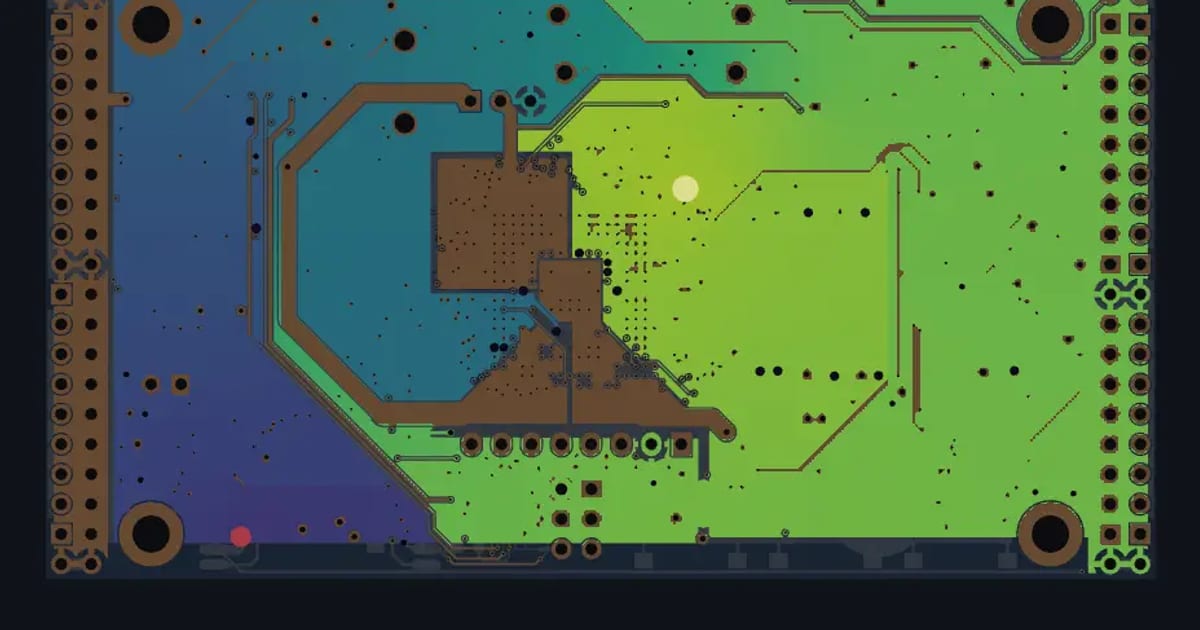
IR drop, impedance, weave skew, eyes and via life
PCB analysis runs on real open-hardware boards. On the ULX3S, the worst IR drop on the 3.3 V rail is 3.58 mV at 0.48 A, 2.2% of its tolerance. A trace published as 50 Ω on an Antmicro board computes to 50.6 Ω. Rotating a route cuts glass-weave skew by 20 to 40×, and eye diagrams are shown open at 56 Gbps. Results open per layer in the PCB results viewer.
Qualification checks before you order boards
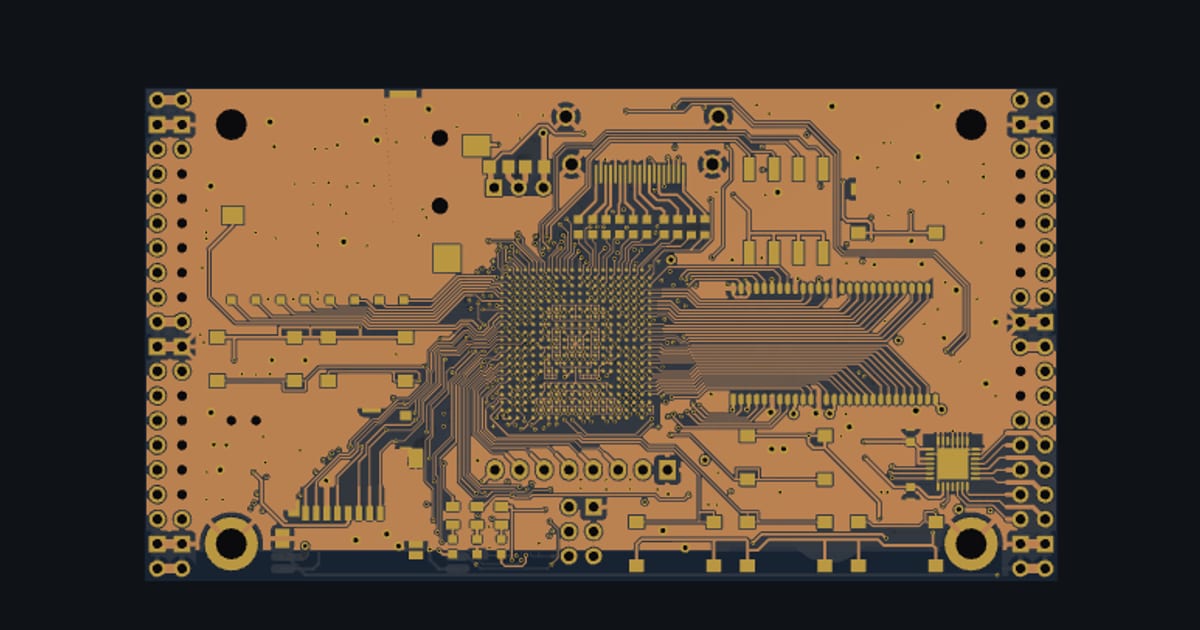
PCB qualification checks run the ULX3S against the standards. As drawn, 5 of 7 report lines pass and via ring retention is 100% at Class 2. At Class 3 ring retention is 77.9% as drawn and 100% with a pad change: 488 vias at 0.2 mm drill go from a 0.419 mm pad to 0.55 mm. The readiness report is the document you would attach to a design review. These are design checks against the standards, run before fabrication.
What each BOM change did to the board
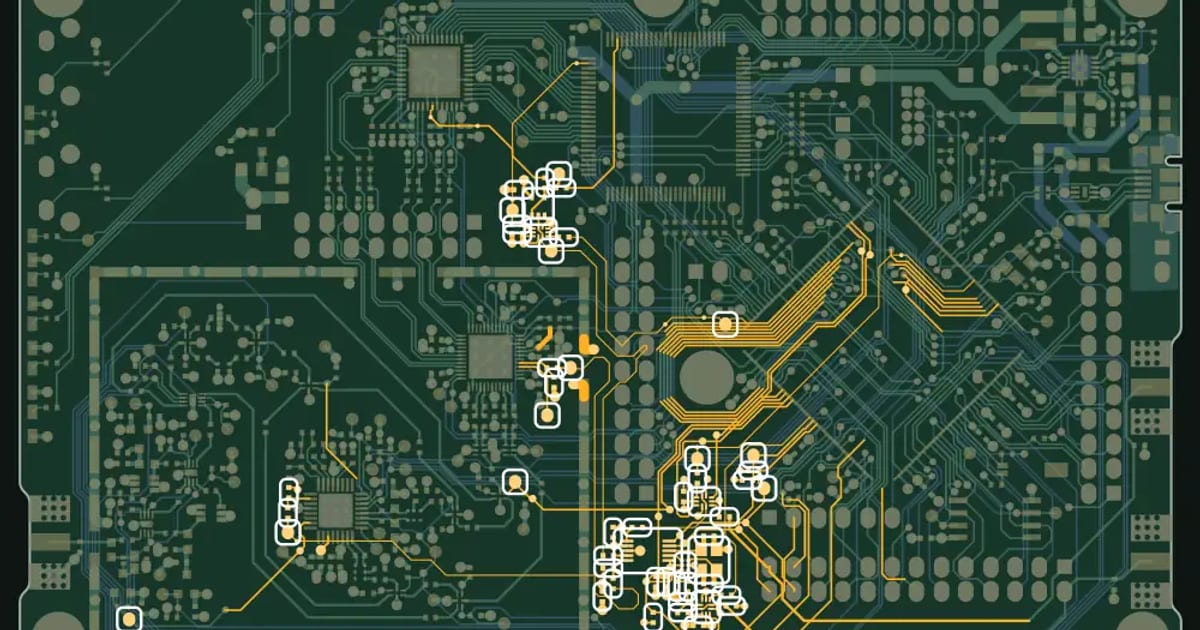
BOMblame × NativeCAD reads the commit history of open-hardware projects, including HackRF One, and reports what each BOM change did to the board. A swapped regulator or a new connector gets an engineering consequence next to the commit.
Enclosures and heatsinks around the real board
The drawing showcase builds 3D models from manufacturers' drawings, including a Raspberry Pi 5 from drawing RP-008347-DS-1, the Raspberry Pi camera modules and a heatsink. With the board as an exact solid, the assistant builds the enclosure around it: standoffs on the mounting holes, cut-outs on the connectors, clearance over the tallest part. NativeCAD has dedicated PCB and enclosure tools, and the DFM knowledge packs include electronics and maker-enclosures.
What to ask your assistant
Open this KiCad board and report the worst IR drop on every rail.
    Is the USB differential pair within 90 ohms, and how much weave skew does it have?
    Check via ring retention for IPC Class 3 and tell me the smallest pad that passes.
    Build a two-part enclosure around the board with 2 mm walls and M3 standoffs.
For printing the enclosure, see NativeCAD for 3D printing services and product designers.
Questions electronics hardware teams ask
Can NativeCAD analyse a KiCad PCB?
Yes. NativeCAD reads KiCad, Gerber and IPC-2581 files and computes IR drop, trace impedance, glass-weave skew, eye diagrams and plated-through-hole life.
Can an AI assistant design an enclosure for my board?
Yes. NativeCAD imports or builds the board as an exact solid and has enclosure tools the assistant uses to place standoffs, connector cut-outs and walls with measured clearances.
What does NativeCAD cost?
A NativeCAD MCP / Modeler seat is $200 per seat per year, or $20 per seat per month, with no metered usage. The evaluation needs no key and no sign-up; export, save and import need a seat key. See pricing.
Does my geometry leave my computer?
NativeCAD runs on your own machine: the kernel and solvers run locally and licence validation is fully offline. Files opened in the browser modeler are never uploaded. Your AI assistant sees what you ask it to work on, under your agreement with its provider.
NativeCAD in other industries
- NativeCAD for Drone Manufacturers: Airframe, Airflow and Every Revision Checked
- NativeCAD for Automotive: Drivelines, Tolerance Stacks and Thermal Parts Your AI Can Check
- NativeCAD for Motorsport: More Design Iterations Between Races
- NativeCAD for Aerospace and Turbomachinery: Blades, Casings and Qualification Reports
- NativeCAD for Robotics and Weld Cell Integrators: Program the Cell From the CAD Model
- NativeCAD for CNC Job Shops: From the Customer's Drawing to a Checked Solid
- NativeCAD for Sheet Metal Fabricators: Flat Patterns, Bend Checks and Drawings by Conversation
- NativeCAD for Metal Additive Manufacturing: Design for the Printer, Then Prove the Part
- NativeCAD for 3D Printing Services and Product Designers: Fuller Builds, Parts That Work Off the Bed
- NativeCAD for Foundries and Casting: Part In, Mould Out
- NativeCAD for Furniture Makers and Woodworkers: A Desk Designed in Ten Messages
- NativeCAD for Game Studios and 3D Asset Teams: Engineering-Grade Models as Runtime Assets
- NativeCAD for Simulation Teams: FEA and CFD Set Up and Run by the Agent That Built the Part
- NativeCAD for Defense and Regulated Manufacturing: AI-Built Parts Inside Your Own Boundary
NativeCAD is CAD, FEA and CFD software your AI assistant drives over MCP, from Claude, Cursor or your own agent, and in the browser. Every part is an exact B-rep solid that exports as STEP AP242. See what it does, browse every demo, check pricing, or install it.