A ring, a box, a pendant or a piece of tableware succeeds on details that most CAD tools make slow: surfaces with no visible break, a mechanism that feels right, a shape that can be cast or printed. Designers who are not full-time CAD operators often stop at a sketch and hand the rest to someone else. NativeCAD is CAD software driven by your AI assistant. You describe the piece, and it builds exact geometry you can render, check and send to be made.
What designers do with NativeCAD
- Build surfaces that stay smooth in reflection, graded and reported.
- Design working mechanisms: hinges, cams, springs, gear trains.
- Make print-in-place pieces with clearances checked through the motion.
- Batch small runs by nesting many pieces into one build.
- Turn a piece into a casting mould.
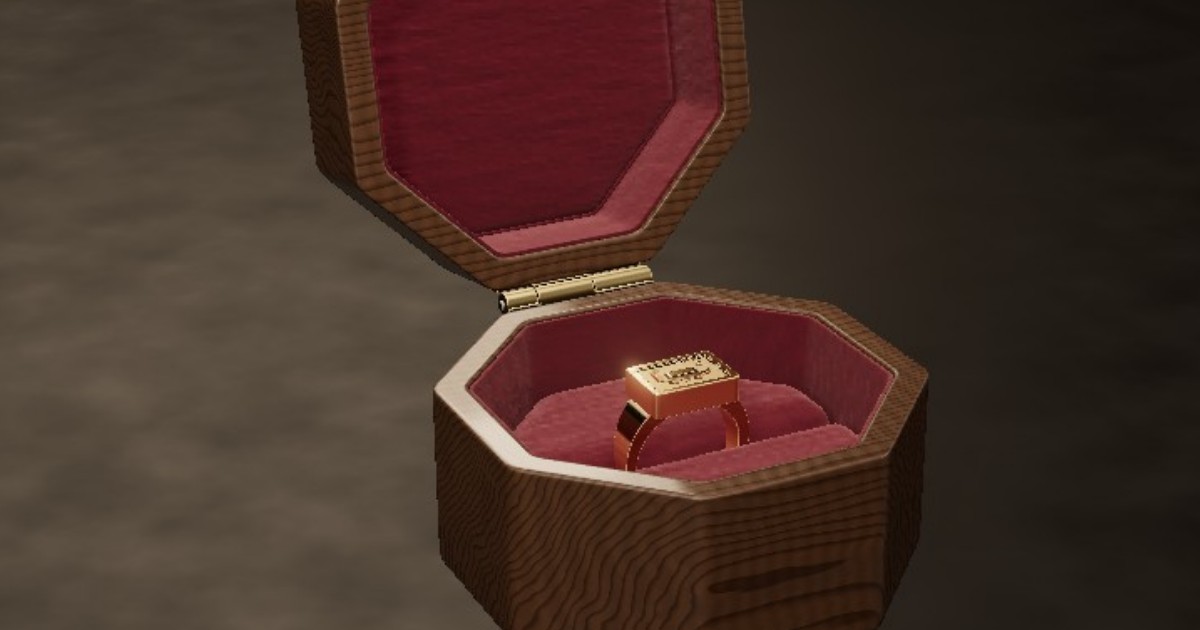
A walnut ring box where every surface is G4
The octagonal ring box is carved walnut lined in velvet, holding a 22kt gold signet with a boat in relief. Every designed surface is G4-continuous, 36 of 36, so a highlight travels across the lid without a kink. The lid swings on a three-knuckle brass barrel with a spring-and-cam hinge that snaps open and shut, and the snap you see is the spring and cam's own torque. The ring slot was sized with finite-element analysis. Everything on the page is the CAD model, rendered live.
A pendant with a working gearbox
The planetary gearbox pendant has 5 moving parts and zero assembly. It prints in one piece at 0.25 mm clearance, with every pair of moving parts measured at 12 positions across a full turn, so the gears turn when it comes off the printer. Kinetic jewellery, fidget pieces and mechanical toys all follow the same recipe.

Tableware and small runs
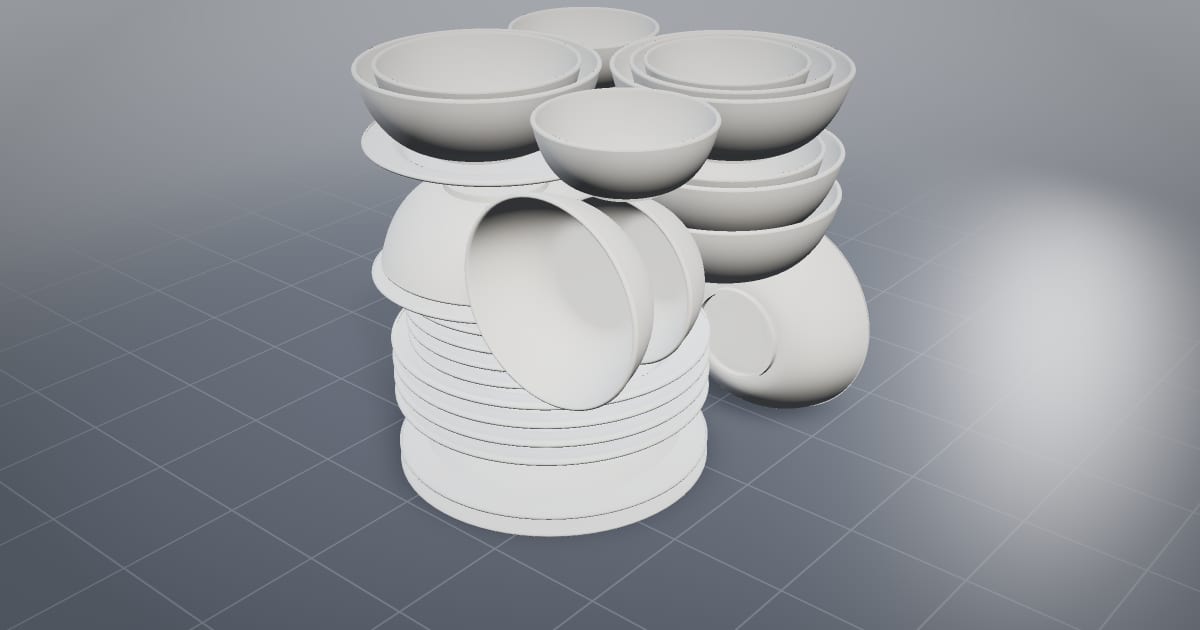
The dinner service packs 30 pieces of tableware into one SLS build at 1.81× the density of packing by bounding boxes, with a 3.00 mm closest gap and 0 collisions. For a studio selling small batches, the number of pieces per build is the unit cost.
From model to object
For metal, part in, mould out turns a piece into a printable two-half ceramic mould in one call; one example pours 109 medallions from a single charge. For plastic and resin, printing from a chat sends a part to a desktop printer, and print kits split larger models into parts. Finished designs export as STEP for a manufacturer and as glTF for product pages and renders.
Why continuity grades matter on small objects
On a polished ring or a lacquered lid, the eye catches a surface break that a shaded CAD view hides. NativeCAD grades every join from G0 to G4 and reports it with the part, so "smooth" is a measured property. G4 Surfaces, and Where NativeCAD Stands explains the grades in plain terms.
What to ask your assistant
Design a signet ring, size 9, with an oval face 14 by 11 mm and a 2 mm band.
    Make a hinged box 60 mm across with a lid that snaps shut.
    Check the hinge clears through its full swing.
    Make a two-half casting mould for the pendant.
The DFM knowledge packs include jewellery-wearables, kitchen-tableware and toys-games. For more on printing, see NativeCAD for 3D printing services and product designers.
Questions jewellery and product designers ask
Can I design jewellery with an AI assistant?
Yes. With NativeCAD, an assistant such as Claude builds rings, pendants and boxes as exact solid models from your description, with curvature-continuous surfaces and working mechanisms, and exports them for casting or printing.
Can NativeCAD make print-in-place mechanisms?
Yes. The public pendant demo is a planetary gearbox with 5 moving parts printed in one piece at 0.25 mm clearance, with every moving pair checked at 12 positions.
What does NativeCAD cost?
A NativeCAD MCP / Modeler seat is $200 per seat per year, or $20 per seat per month, with no metered usage. The evaluation needs no key and no sign-up; export, save and import need a seat key. See pricing.
Does my geometry leave my computer?
NativeCAD runs on your own machine: the kernel and solvers run locally and licence validation is fully offline. Files opened in the browser modeler are never uploaded. Your AI assistant sees what you ask it to work on, under your agreement with its provider.
NativeCAD in other industries
- NativeCAD for Drone Manufacturers: Airframe, Airflow and Every Revision Checked
- NativeCAD for Automotive: Drivelines, Tolerance Stacks and Thermal Parts Your AI Can Check
- NativeCAD for Motorsport: More Design Iterations Between Races
- NativeCAD for Aerospace and Turbomachinery: Blades, Casings and Qualification Reports
- NativeCAD for Robotics and Weld Cell Integrators: Program the Cell From the CAD Model
- NativeCAD for CNC Job Shops: From the Customer's Drawing to a Checked Solid
- NativeCAD for Sheet Metal Fabricators: Flat Patterns, Bend Checks and Drawings by Conversation
- NativeCAD for Metal Additive Manufacturing: Design for the Printer, Then Prove the Part
- NativeCAD for 3D Printing Services and Product Designers: Fuller Builds, Parts That Work Off the Bed
- NativeCAD for Foundries and Casting: Part In, Mould Out
- NativeCAD for Electronics Hardware Teams: Check the Board and Fit the Enclosure Before You Build
- NativeCAD for Furniture Makers and Woodworkers: A Desk Designed in Ten Messages
- NativeCAD for Game Studios and 3D Asset Teams: Engineering-Grade Models as Runtime Assets
- NativeCAD for Simulation Teams: FEA and CFD Set Up and Run by the Agent That Built the Part
- NativeCAD for Defense and Regulated Manufacturing: AI-Built Parts Inside Your Own Boundary
- NativeCAD for Architects and BIM Teams: Ask, Check and Edit IFC Models With an AI Assistant
- NativeCAD for Software Teams: A CAD Kernel You npm install
- NativeCAD for Reverse Engineering and Inspection: Scans, STL Files and Old Drawings Back to Solids
- NativeCAD for Energy and Power Generation: Turbines, Heat Exchangers and Hydrogen Hardware
NativeCAD is CAD, FEA and CFD software your AI assistant drives over MCP, from Claude, Cursor or your own agent, and in the browser. Every part is an exact B-rep solid that exports as STEP AP242. See what it does, browse every demo, check pricing, or install it.