From a CAD file to a ready-to-print metal build plate in under two minutes.
Drag the model. That is a jet-engine turbine vane on the build plate, standing on supports NativeCAD placed by itself.
partsupportslattice275 x 275 mm build plate Drag to turn, pinch or scroll to zoom.
Metal printing, in one breath
Laser powder-bed fusion spreads a layer of metal powder 40 microns thick (about half a hair), melts that slice of the part with a laser, and repeats. This vane takes 3,444 layers.
Anything that hangs out over loose powder needs a support under it, or it sags and warps. Supports are cut and ground off by hand afterwards, so where they touch the part matters as much as whether they hold it.
Where the supports go is the whole game
It stacked the two vanes and grew a support wall almost 5 cm tall between them, right across the airfoils. Those are the surfaces you would then have to grind clean and inspect.
We had written a checker that measures the finished plate from its triangles and shares no code with the generator. It failed that plate on 4 counts. Take the wall away and only 43 % of the overhangs had anything under them.
The vane is built trailing edge down and tilted. All 11 supports stand on the build plate and touch only the trailing-edge strip, the rails and the back faces of the bands: where a print engineer would put them. Nothing touches the airfoils.
The same checker measures 94.8 % of the overhangs held up, just short of our 95 % target. The 16 mm² left sit beside the airfoil fillets and over one rail, where the only way in would be to touch the gas path. So we leave them, and say so.
Which way up, picked for you
The angle a part is printed at decides how many supports it needs, how tall the build is and how much it may warp. NativeCAD scored 288 orientations for the vane and kept the best.
Standing it upright looked tidy, but it left thousands of square millimetres of airflow surface hanging over powder, with nothing allowed to touch them. It was scored and rejected.
A whole plate, with the hours
Turbine vane
Nickel superalloy (IN718). Prepped in 116 s. One vane prints in 22.6 machine hours; four fit on a plate in 48.9 h, 12.2 h each.
Cooled liner
A double-walled cooling band with a 4,640-strut lattice inside. No supports at all: its cone holds itself up. It is fused to the plate on 0.5 mm of spare stock that a wire EDM (a cutting wire) slices through after heat treatment. Prepped in 41 s; a 35.7 h build.
Brackets
20 titanium (Ti64) brackets laid out 9 to a plate on 3 plates, in 11 s. A full plate is 60.6 machine hours, 6.7 h a bracket.
Hours are machine time from a 3D Systems DMP Flex 350 profile (275 x 275 mm plate). Out come the plate as 3MF, every part and support as its own STL in machine coordinates, layer slices and a build report. The plate then goes to the printer maker's software for the last step: laser settings and scan paths.
Hours by quantity
| Part | Qty | Plates | Machine h | h each |
|---|---|---|---|---|
| Turbine vane | 1 | 1 | 22.6 | 22.6 |
| Turbine vane | 4 | 1 | 48.9 | 12.2 |
| Turbine vane | 20 | 5 | 244.4 | 12.2 |
| Bracket | 9 | 1 | 60.6 | 6.7 |
| Bracket | 20 | 3 | 138.2 | 6.9 |
Try it on your own part
NativeCAD runs inside your AI assistant. Hand it a STEP file and ask for a build plate.
More demos
All demos →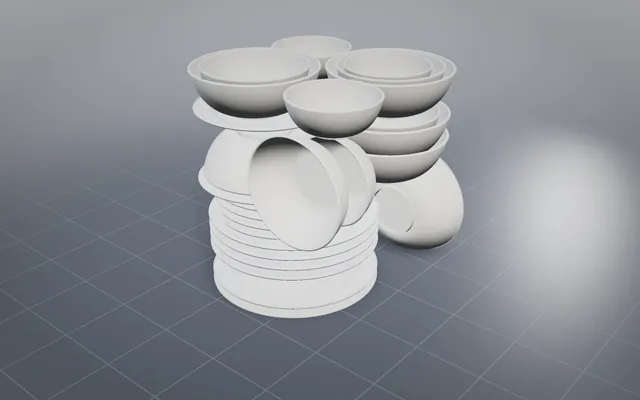
A whole dinner service nested in one SLS build
Bowls inside bowls and plates under plates, every gap proved on the real triangles before the build starts.
30 pieces, one SLS build GE bracket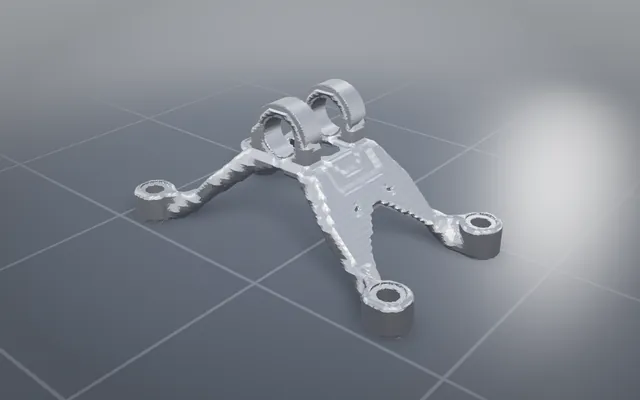
The GE jet engine bracket, lighter and carrying every load
The classic titanium bracket optimised and offered to print, cast, machine or weld, with STEP to download.
84.3% lighter Printed pendant
A planetary gearbox you can wear, printed in one piece
A working gearbox pendant that comes off a desktop printer already assembled and turning, in two colours.
5 moving parts, one print FEA loop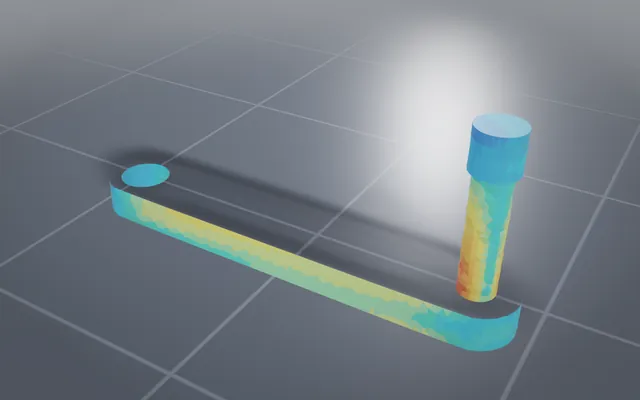
Finite-element analysis your agent can run
Stress and vibration results from the same AI session that built the part, with the peak and its margin.
6 designs solved in FEABuild your own part with NativeCAD
Free for education and makers with a registered key · $200 per seat per year · Kernel SDK for products.