Most questions about a building model are simple: how many doors are fire rated, which rooms are under the minimum area, what changed since the last issue. Answering them usually means opening an authoring tool and knowing where to click. NativeBIM by NativeCAD is a local MCP server for IFC files, currently in beta. An AI assistant reads and changes a building model through it, with every edit previewed as a diff, validated against the schema and reversible. Files stay on your machine.
What BIM teams do with NativeBIM
- Ask a model plain questions and get answers that name the elements behind them.
- Check a model against the schema rules and against an owner's requirements.
- Edit by instruction: move a door, add a room, change a type, with undo.
- Measure, draw and export: areas, quantities, sheets and IFC back out.
- Work across IFC versions: IFC2X3, IFC4 and IFC4X3_ADD2.
Answers that name their evidence
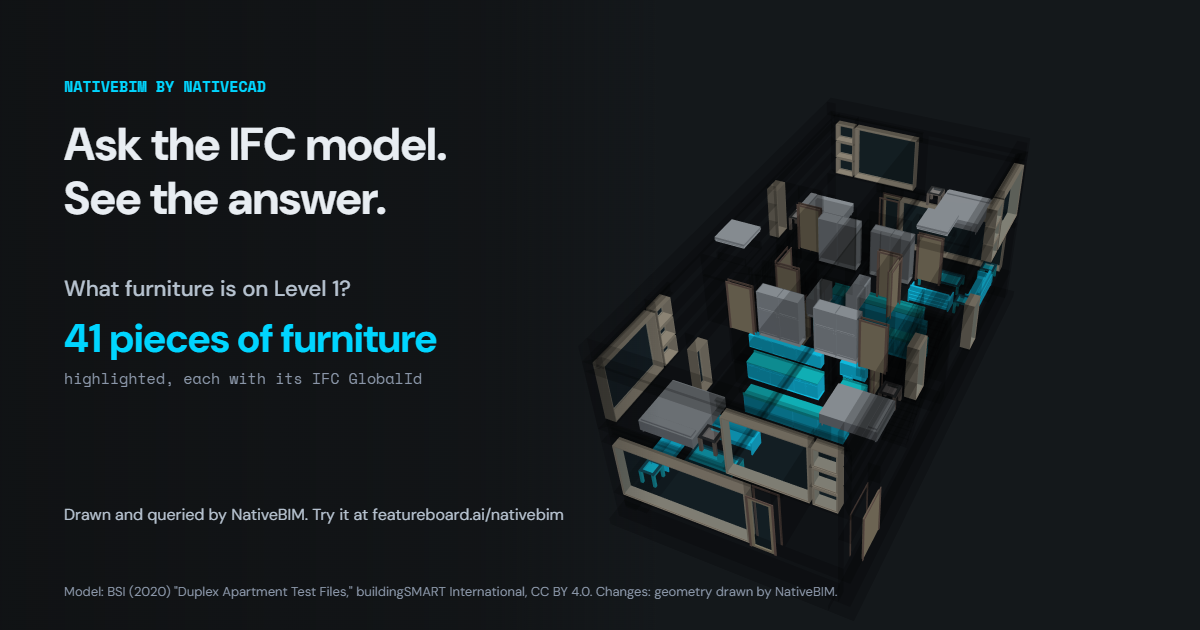
In Ask the model, every answer names the elements it is based on, by GlobalId, with the property or attribute each one matched. Asked how many dock doors a generated warehouse has, the answer is 107, each one listed. A coordinator can check the answer in any IFC viewer, because it points at the same elements.
A 9,174-record model checked against every rule
The warehouse check takes a 480,000 SF warehouse with 118 doors, written as IFC4 in 9,174 records, reads it back and checks it against every schema rule in the standard: 16,636 rule evaluations found 0 violations. Run the same check on a consultant's model before you federate it.
Can I just add a room?
Add a room starts from a public question by Roopinder Tara, Editor in Chief of ENGtechnica: why can't CAD just add a room, move a door or make it a sliding door? The floor plan from his post was modelled in IFC and his list was run as edits. Each edit is checked before it is applied, and each can be undone. The before and after drawings are NativeBIM's own sheets, with the changes clouded in red.
Whole buildings, with structure and services
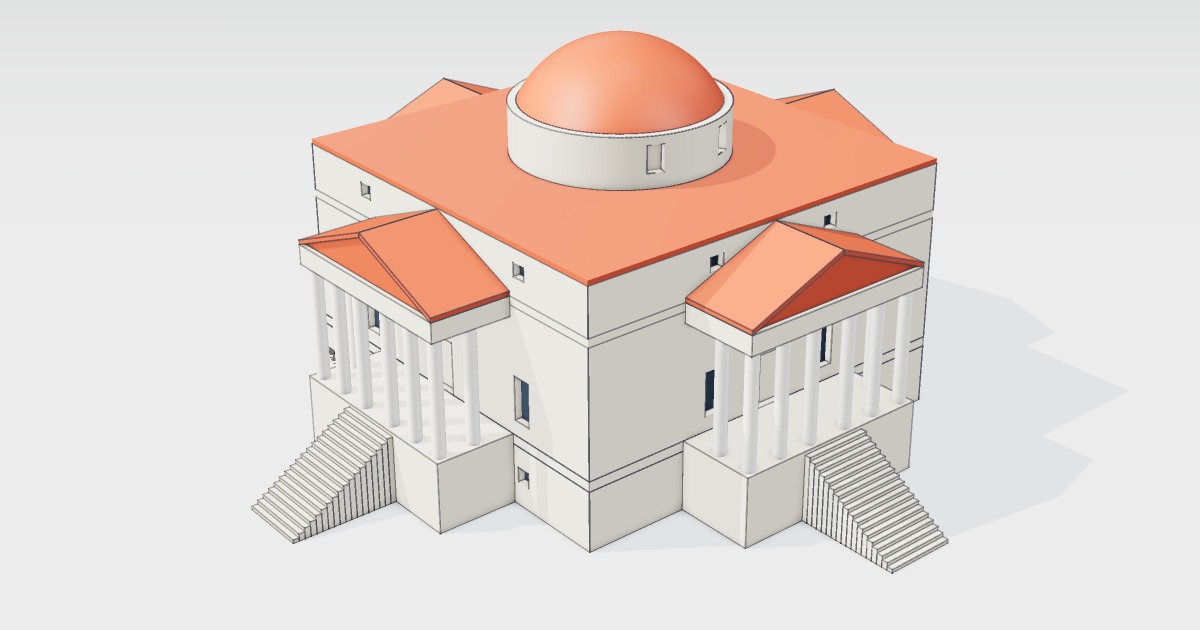
The showcases are complete IFC models you can open in the browser. The wood frame over a concrete podium is a four-storey apartment building with 1132 walls, 847 doors and 823 spaces, with drawings, a frame analysis of the transfer beams and a code screen. Borgund stave church is read off its 1861 survey and solved for weight and Eurocode snow and wind. Owner IDS drives the model takes an owner's requirements for fire ratings, classification and COBie asset data and checks a building against them. The energy-ready multifamily bar carries space boundaries in the IFC and as gbXML.
Existing buildings: scans and as-built checks
Scan to IFC rebuilds a scan of an office suite as walls, slabs and openings and scores the result against the original. As-built deviation compares a scan with the design, and deviations above a stated tolerance become BCF topics for the team to resolve.
What to ask your assistant
Open this IFC and list every door without a fire rating.
    Which spaces on level 2 are under 9 square metres?
    Move the door on the north wall 600 mm east and show me the change before applying it.
    Check this model against the schema and give me the failures by element.
NativeBIM is included in the NativeCAD seat, with no separate purchase. See NativeBIM, the demos and pricing.
Questions architects and BIM teams ask
Can an AI assistant read and edit an IFC file?
Yes. NativeBIM is a local MCP server that lets an assistant such as Claude open, query, check, edit, measure and export IFC models. Every edit is previewed as a diff, validated against the schema and reversible.
Which IFC versions does NativeBIM support?
NativeBIM opens IFC2X3, IFC4 and IFC4X3_ADD2 files and writes them back with every untouched record byte-identical.
Is NativeBIM a separate product from NativeCAD?
NativeBIM is licensed with NativeCAD. The NativeCAD MCP / Modeler seat includes it, and there is no separate NativeBIM purchase.
What does NativeCAD cost?
A NativeCAD MCP / Modeler seat is $200 per seat per year, or $20 per seat per month, with no metered usage. The evaluation needs no key and no sign-up; export, save and import need a seat key. See pricing.
Does my geometry leave my computer?
NativeCAD runs on your own machine: the kernel and solvers run locally and licence validation is fully offline. Files opened in the browser modeler are never uploaded. Your AI assistant sees what you ask it to work on, under your agreement with its provider.
NativeCAD in other industries
- NativeCAD for Drone Manufacturers: Airframe, Airflow and Every Revision Checked
- NativeCAD for Automotive: Drivelines, Tolerance Stacks and Thermal Parts Your AI Can Check
- NativeCAD for Motorsport: More Design Iterations Between Races
- NativeCAD for Aerospace and Turbomachinery: Blades, Casings and Qualification Reports
- NativeCAD for Robotics and Weld Cell Integrators: Program the Cell From the CAD Model
- NativeCAD for CNC Job Shops: From the Customer's Drawing to a Checked Solid
- NativeCAD for Sheet Metal Fabricators: Flat Patterns, Bend Checks and Drawings by Conversation
- NativeCAD for Metal Additive Manufacturing: Design for the Printer, Then Prove the Part
- NativeCAD for 3D Printing Services and Product Designers: Fuller Builds, Parts That Work Off the Bed
- NativeCAD for Foundries and Casting: Part In, Mould Out
- NativeCAD for Electronics Hardware Teams: Check the Board and Fit the Enclosure Before You Build
- NativeCAD for Furniture Makers and Woodworkers: A Desk Designed in Ten Messages
- NativeCAD for Game Studios and 3D Asset Teams: Engineering-Grade Models as Runtime Assets
- NativeCAD for Simulation Teams: FEA and CFD Set Up and Run by the Agent That Built the Part
- NativeCAD for Defense and Regulated Manufacturing: AI-Built Parts Inside Your Own Boundary
- NativeCAD for Software Teams: A CAD Kernel You npm install
- NativeCAD for Reverse Engineering and Inspection: Scans, STL Files and Old Drawings Back to Solids
- NativeCAD for Energy and Power Generation: Turbines, Heat Exchangers and Hydrogen Hardware
- NativeCAD for Jewellery and Consumer Product Designers: Fine Surfaces, Working Mechanisms, Ready to Make
NativeCAD is CAD, FEA and CFD software your AI assistant drives over MCP, from Claude, Cursor or your own agent, and in the browser. Every part is an exact B-rep solid that exports as STEP AP242. See what it does, browse every demo, check pricing, or install it.